
Introduction
In today’s digital world, note-taking apps have become essential tools for students, professionals, content creators, and anyone who wants to stay organized. Whether you’re jotting down quick ideas, managing work projects, creating study notes, or keeping track of daily tasks, the right note-taking app can save time and improve productivity. Unlike traditional notebooks, digital note-taking apps allow you to organize, search, edit, and sync your notes across multiple devices.
With so many options available, choosing the best note-taking app can be challenging. Some apps focus on simplicity, while others offer advanced features like collaboration, handwriting support, cloud synchronization, and task management. This guide explores the benefits of note-taking apps, the features to look for, and some of the best options available today.
Why Use a Note-Taking App?
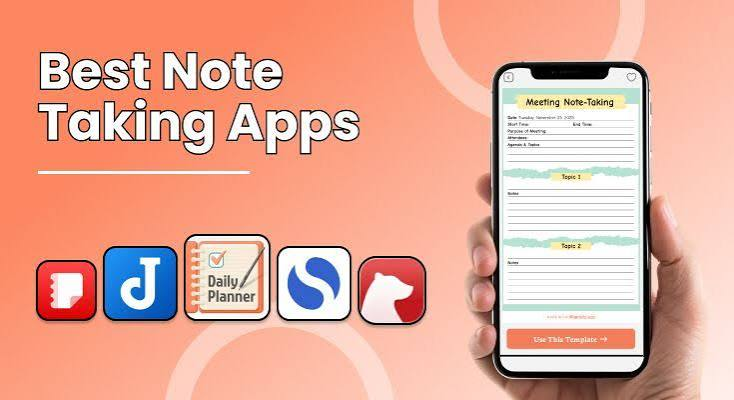
A note-taking app helps you capture information quickly and access it whenever you need it. Instead of carrying paper notebooks, you can store thousands of notes on your smartphone, tablet, or computer.
Benefits include:
- Access notes from multiple devices
- Organize information into folders or notebooks
- Quickly search for keywords
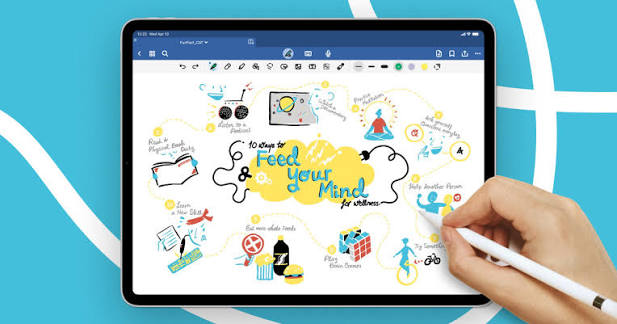
- Add images, audio, and files
- Share notes with others
- Sync data through the cloud
- Reduce paper usage
Whether you’re planning a project or recording lecture notes, a good app keeps everything organized in one place.
Key Features to Look For
Before choosing a note-taking app, consider the following features.
1. Cloud Sync
Cloud synchronization ensures your notes are automatically updated across all your devices. You can start writing on your phone and continue editing on your laptop without losing any information.
2. Cross-Platform Support
The best apps work on multiple platforms, including:
- Windows
- macOS
- Android
- iPhone
- iPadapp keeps everything organized in one place.
3. Easy Organization
A good note-taking app should allow you to organize notes using:
- Folders
- Tags
- Notebooks
- Labels
- Color coding
These features help you find information quickly.
4. Search Function
As your collection of notes grows, searching becomes important. Advanced search tools let you locate notes instantly by typing keywords.
5. Rich Formatting
Formatting options improve readability and organization.
Useful features include:
- Headings
- Bullet lists
- Numbered lists
- Tables
- Checklists
- Bold and italic text
- Hyperlinks
6. Multimedia Support
Modern note-taking apps often support:
- Images
- PDFs
- Voice recordings
- Videos
- File attachments
- Drawings
This makes them useful for both personal and professional projects.
Best Note-Taking Apps
1. Microsoft OneNote
Microsoft OneNote is one of the most popular note-taking apps. It offers a notebook-style interface with sections and pages, making it easy to organize large amounts of information.
Features
- Free to use
- Cross-platform support
- Handwriting support
- Audio recording
- Cloud synchronization
- Team collaboration
Best for:
- Students
- Professionals
- Business users
2. Evernote
Evernote has been a leading note-taking app for years. It combines notes, documents, web clippings, and task management into one platform.
Features
- Powerful search
- Web clipper
- Document scanning
- Cloud sync
- Templates
- Task management
Best for:
- Research
- Project planning
- Personal organization
3. Google Keep
Google Keep focuses on speed and simplicity. It is ideal for quick reminders, shopping lists, and short notes.
Features
- Color-coded notes
- Voice notes
- Labels
- Reminders
- Google account integration
- Real-time synchronization
Best for:
- Everyday note-taking
- Quick reminders
- Simple organization
4. Notion
Notion combines note-taking, project management, databases, and collaboration into one powerful workspace.
Features
- Custom pages
- Databases
- Templates
- Collaboration
- Task management
- Calendar integration
Best for:
- Teams
- Content creators
- Businesses
- Productivity enthusiasts
5. Apple Notes
Apple Notes comes pre-installed on Apple devices and offers an excellent experience for iPhone, iPad, and Mac users.
Features
- Fast synchronization
- Secure notes
- Document scanning
- Handwriting support
- Folder organization
- Smart search
Best for:
- Apple users
- Personal productivity
Choosing the Right Note-Taking App
The best app depends on your needs.
Students
Students often benefit from apps that support:
- Handwritten notes
- PDF annotation
- Cloud sync
- Lecture organization
Professionals
Business users may prefer apps with:
- Collaboration
- File attachments
- Project management
- Calendar integration
Personal Users
If you only need reminders and simple notes, a lightweight app may be the best choice.
Tips for Better Digital Note-Taking
To stay organized, follow these best practices:
- Create folders for different topics.
- Use clear and descriptive titles.
- Add tags for faster searching.
- Archive old notes regularly.
- Back up important information.
- Keep your notes concise.
- Review and update notes frequently.
These habits make your digital notebook easier to manage over time.
Advantages of Digital Notes
Compared to paper notebooks, digital note-taking offers several advantages:
- Easy editing
- Instant searching
- Cloud backup
- Access from anywhere
- Multimedia support
- Collaboration with others
- Reduced paper clutter
These benefits make digital note-taking an excellent choice for modern productivity.
Common Mistakes to Avoid
Many users fail to get the most from their note-taking apps because of poor organization.
Avoid these common mistakes:
- Creating too many folders
- Using inconsistent titles
- Forgetting to back up notes
- Ignoring tags
- Keeping duplicate notes
- Mixing unrelated topics in one notebook
Good organization saves time in the long run.
Frequently Asked Questions
Which note-taking app is best for students?
Microsoft OneNote is a popular choice because it supports handwriting, notebooks, cloud syncing, and multimedia content, making it ideal for classes and study materials.
Are free note-taking apps good enough?
Yes. Many free apps provide excellent features, including cloud synchronization, organization tools, reminders, and collaboration options.
Can I use note-taking apps offline?
Most major note-taking apps allow offline access. Your changes usually sync automatically once you’re connected to the internet again.
Which app is best for teamwork?
Notion and Microsoft OneNote are excellent options for teams because they support collaboration, shared workspaces, and real-time editing.
Are note-taking apps secure?
Most trusted apps use encryption and secure cloud storage. For extra protection, choose apps that offer password or biometric lock features.
Also Read:https://jumpshare.com/
Conclusion
A reliable note-taking app can make it easier to organize ideas, manage projects, and improve productivity. Whether you’re a student preparing for exams, a professional managing meetings, or someone who likes to keep personal notes organized, there’s an app that fits your needs.
When choosing the best note-taking app, consider factors such as cloud synchronization, cross-platform compatibility, ease of organization, search functionality, and collaboration features. By selecting the right app and developing good note-taking habits, you can keep your information accessible, organized, and secure wherever you go.