
Introduction
A gaming mouse is one of the most important accessories for PC gamers. Whether you enjoy first-person shooters (FPS), multiplayer online battle arena (MOBA) games, real-time strategy (RTS), or role-playing games (RPGs), the right mouse can improve your accuracy, comfort, and overall gaming experience. Unlike a standard office mouse, a gaming mouse is designed with high-precision sensors, customizable buttons, adjustable DPI settings, and ergonomic shapes that help players perform better during long gaming sessions.
With so many options available in the market, choosing the best gaming mouse can be challenging. Some models focus on speed and lightweight design, while others offer extra buttons for MMO games or wireless convenience. This guide explains what makes a great gaming mouse, the key features to consider, and some of the best gaming mice available today.
Why a Gaming Mouse Matters
A gaming mouse is built to provide faster response times and greater accuracy than a regular mouse. Every movement you make is translated into precise cursor movement, giving you better control during gameplay.
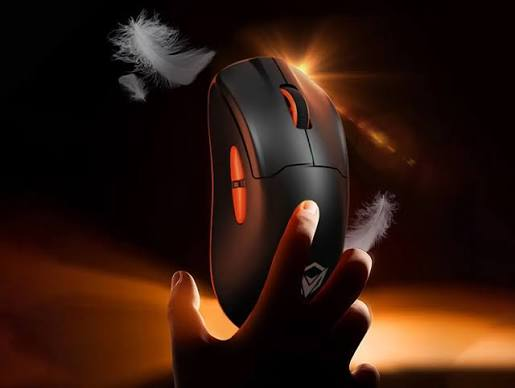
Benefits of using a gaming mouse include:
- Faster response times
- Higher precision
- Comfortable ergonomic design
- Customizable buttons
- Adjustable DPI settings
- Better durability
- Improved gaming performance
Whether you’re playing casually or competitively, investing in a quality gaming mouse can make a noticeable difference.
Key Features to Look For
Before buying a gaming mouse, it’s important to understand the features that affect performance.
1. DPI (Dots Per Inch)
DPI measures how sensitive the mouse is. A higher DPI means the cursor moves farther with less physical movement.
General recommendations:
- 400–800 DPI for FPS games
- 800–1600 DPI for everyday gaming
- 1600–3200 DPI for high-resolution displays
- 4000+ DPI for users who prefer extremely fast cursor movement
Most gaming mice allow you to switch DPI instantly.
2. Optical vs. Laser Sensor
Optical Sensor
Advantages:
- Better accuracy
- Excellent tracking
- Preferred by competitive gamers
- Works well on mouse pads
Laser Sensor
Advantages:
- Works on more surfaces
- Higher sensitivity
- Suitable for general use
Most esports players prefer optical sensors because of their consistent tracking.
3. Wired or Wireless
Wired Gaming Mouse
Pros:
- No battery required
- Stable connection
- Lower latency
- Usually more affordable
Cons:
- Cable may restrict movement
Wireless Gaming Mouse
Pros:
- Cleaner setup
- Greater freedom of movement
- Modern wireless technology offers very low latency
Cons:
- Requires charging
- Usually costs more
Today’s premium wireless gaming mice perform almost as well as wired models.
4. Weight
Mouse weight affects comfort and speed.
Lightweight mice (under 70g):
- Faster movement
- Better for FPS games
Medium weight (70–90g):
- Balanced control
- Suitable for most gamers
Heavy mice (90g+):
- More stability
- Preferred by some strategy and MMO players
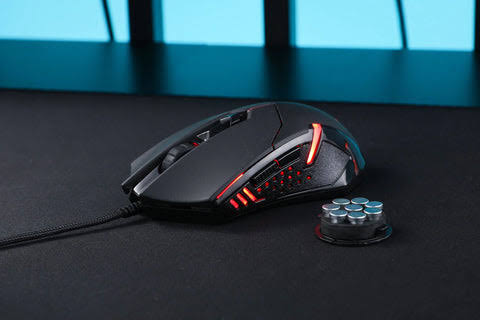
5. Programmable Buttons
Extra buttons let players assign shortcuts for actions like:
- Reloading
- Weapon switching
- Push-to-talk
- Macros
- Inventory management
- Skill activation
MMO players often benefit from mice with many programmable buttons.
6. Ergonomic Design
Comfort is essential during long gaming sessions.
Choose a mouse that matches your grip style:
- Palm Grip
- Claw Grip
- Fingertip Grip
A well-designed ergonomic mouse reduces hand fatigue and improves control.
Best Gaming Mouse Options
1. Logitech G Pro X Superlight
The Logitech G Pro X Superlight is a favorite among esports professionals. Its lightweight design, accurate sensor, and reliable wireless connection make it an excellent choice for competitive gaming.
Best for:
- FPS games
- Competitive players
- Lightweight performance
2. Razer DeathAdder V3
The Razer DeathAdder series is known for comfort and precision. The latest version features an ergonomic shape, fast optical switches, and an advanced sensor.
Best for:
- FPS
- MOBA
- Long gaming sessions
3. SteelSeries Rival 5
The SteelSeries Rival 5 is a versatile gaming mouse with multiple programmable buttons and excellent comfort.
Best for:
- MMO
- RPG
- General gaming
4. Corsair M65 RGB Ultra
This mouse features an aluminum frame, adjustable weight system, and highly accurate sensor.
Best for:
- FPS
- Tactical shooters
5. Glorious Model O
The Glorious Model O is famous for its lightweight honeycomb design and smooth performance.
Best for:
- Fast-paced games
- Competitive FPS
- Budget-conscious gamers
Gaming Mouse Maintenance Tips
To keep your gaming mouse performing well:
- Clean the sensor regularly.
- Remove dust from the mouse feet.
- Use a quality mouse pad.
- Update firmware when available.
- Avoid dropping the mouse.
- Store it safely during travel.
- Charge wireless mice before long gaming sessions.
Proper maintenance extends the lifespan of your gaming mouse.
Common Mistakes When Buying a Gaming Mouse
Many buyers focus only on high DPI numbers, but this isn’t always the best approach.
Avoid these mistakes:
- Buying based only on RGB lighting
- Ignoring hand size
- Choosing uncomfortable shapes
- Paying for unnecessary features
- Forgetting battery life for wireless models
- Ignoring software compatibility
Comfort and sensor quality are more important than flashy features.
How to Choose the Right Gaming Mouse
Ask yourself these questions before purchasing:
- What games do you play most?
- Do you prefer wired or wireless?
- What’s your budget?
- How large are your hands?
- Which grip style do you use?
- Do you need programmable buttons?
The answers will help narrow your options and ensure you choose a mouse that fits your gaming style.
Frequently Asked Questions
Is a gaming mouse better than a regular mouse?
Yes. Gaming mice offer better sensors, faster response times, customizable buttons, and ergonomic designs that improve gaming performance.
What DPI is best for gaming?
Most competitive gamers use between 400 and 1600 DPI, depending on the game and personal preference.
Are wireless gaming mice good?
Yes. Modern wireless gaming mice provide excellent performance with very low latency, making them suitable for both casual and competitive gaming.
How long does a gaming mouse last?
A high-quality gaming mouse can last 3 to 5 years or longer, depending on usage and maintenance.
Do I need RGB lighting?
No. RGB lighting is purely cosmetic and does not affect gaming performance.
Also Read:https://www.pcworld.com/
Conclusion
A gaming mouse is a valuable investment for anyone who enjoys PC gaming. It provides greater precision, faster response times, and customizable features that can enhance both casual and competitive gameplay. When choosing a gaming mouse, focus on sensor quality, comfort, weight, button layout, and whether you prefer a wired or wireless design.
By selecting a mouse that matches your gaming style and maintaining it properly, you’ll enjoy smoother gameplay, improved accuracy, and a more comfortable experience during every gaming session. Whether you’re exploring open worlds, competing in esports, or enjoying multiplayer battles, the right gaming mouse can help you perform at your best.