
Introduction
Microsoft Office has been the standard productivity suite for decades, offering popular applications such as Word, Excel, PowerPoint, and Outlook. Millions of students, professionals, businesses, and educators rely on these tools every day. However, Microsoft’s subscription-based pricing and licensing model are not ideal for everyone. Many users are now searching for affordable or free alternatives that provide similar features without the recurring cost.
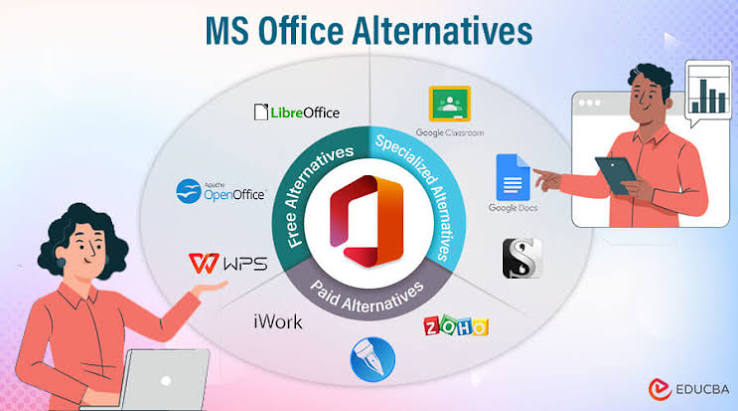
Fortunately, there are many excellent Microsoft Office alternatives available today. Some are completely free, while others offer premium features at a lower price than Microsoft 365. Whether you need to create documents, manage spreadsheets, design presentations, or collaborate with a team, there is an office suite that fits your needs.
Why Consider a Microsoft Office Alternative?
There are several reasons why people choose an alternative to Microsoft Office. Cost is one of the biggest factors. Microsoft 365 requires a monthly or yearly subscription, which may not be suitable for students or small businesses.
Another reason is platform compatibility. Some office suites work better on Linux or offer improved support for Android and iOS devices. Others focus on privacy by allowing users to store documents locally instead of in the cloud.
Many alternatives also provide excellent collaboration tools, cloud storage, and compatibility with Microsoft Office file formats such as DOCX, XLSX, and PPTX.
1. Google Docs, Sheets, and Slides
Google Workspace is one of the most popular alternatives to Microsoft Office. It includes Google Docs, Google Sheets, and Google Slides, all of which run directly in a web browser.
The biggest advantage is real-time collaboration. Multiple people can edit the same document simultaneously, making it perfect for teams, schools, and remote workers.
Pros
- Completely free for personal use
- Automatic cloud saving
- Real-time collaboration
- Works on any device with internet access
- Easy file sharing
Cons
- Limited advanced formatting compared to Microsoft Office
- Internet connection is recommended for the best experience
2. LibreOffice
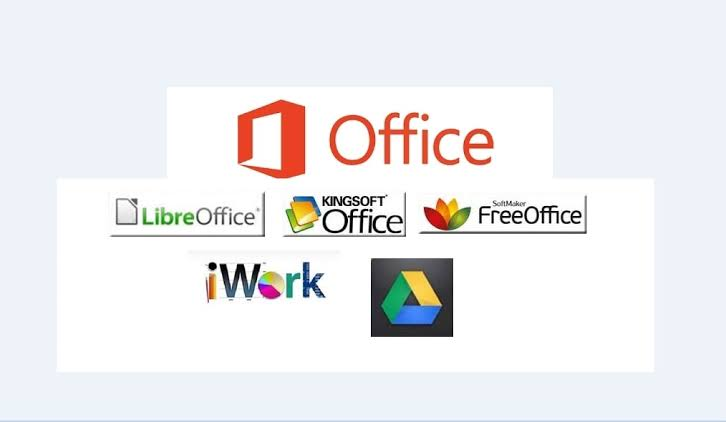
LibreOffice is one of the best free office suites available today. It is open-source software and includes Writer, Calc, Impress, Draw, Base, and Math.
LibreOffice works offline and supports Windows, macOS, and Linux. It is an excellent choice for users who prefer desktop software without subscription fees.
Pros
- Free forever
- No advertisements
- Powerful editing tools
- Excellent Microsoft Office compatibility
- Open-source community support
Cons
- Interface looks less modern
- Collaboration features are limited
3. WPS Office
WPS Office has become a favorite among users looking for a lightweight office suite. It offers Writer, Spreadsheet, Presentation, and PDF editing tools.
Its interface is similar to Microsoft Office, making it easy for new users to switch without a learning curve.
Pros
- Familiar interface
- Strong file compatibility
- PDF editing features
- Mobile-friendly
- Free version available
Cons
- Advertisements in the free version
- Some advanced features require a premium subscription
4. ONLYOFFICE
ONLYOFFICE is designed for both individuals and businesses. It provides document editing, spreadsheet management, presentations, and collaborative tools.
Many companies choose ONLYOFFICE because it integrates well with cloud storage services and project management platforms.
Pros
- Excellent collaboration
- Modern interface
- Supports Microsoft Office formats
- Secure document management
Cons
- Advanced business features require paid plans
Also Read:https://www.educba.com/
Key Features to Look For
Before choosing an office suite, consider these features:
- Microsoft Office file compatibility
- Cloud storage support
- Offline editing
- Collaboration tools
- PDF editing
- Mobile applications
- Security and privacy
- Affordable pricing
Selecting software that matches your workflow will improve productivity and reduce compatibility issues.