

Working from home has become a normal part of modern life. Whether you work remotely full-time, attend online classes, run a small business, or simply need a quiet place to complete daily tasks, having a well-designed home office can make your routine much easier.
A good home office does not need to be expensive or complicated. With the right desk, comfortable chair, suitable lighting, organized storage, and reliable technology, you can create a workspace that feels practical and professional. The key is to design the office around your needs, available space, and daily activities.
1. Choose the Right Location
The first step in creating a home office is choosing the right location. If you have a separate room available, it can provide excellent privacy and help create a clear separation between work and personal activities.
However, not everyone has an extra room. A corner of a bedroom, living room, or hallway can also become a useful workspace. Look for an area with enough space for a desk and chair and, ideally, access to natural light.
Try to choose a location away from areas with frequent distractions. A quiet corner can make it easier to concentrate during work and video meetings.
2. Select a Comfortable Desk
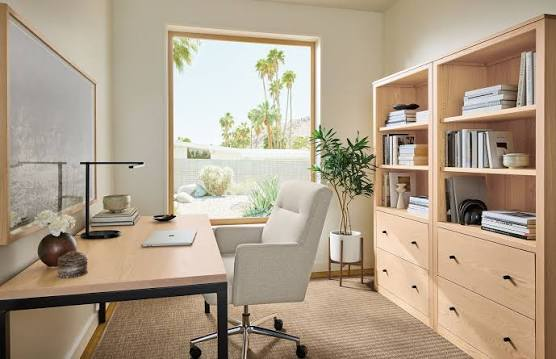
Your desk is the central part of your home office, so choose one that provides enough space for your equipment.
A basic desk can work perfectly well if you mainly use a laptop. If you use multiple monitors, a desktop computer, speakers, notebooks, and other accessories, you may need a larger surface.
Consider the height of the desk as well. Your keyboard and mouse should be positioned comfortably so that you do not have to reach too far. Keeping frequently used items within easy reach can also help maintain an organized workspace.
If space is limited, a compact desk or wall-mounted desk can be a practical solution.
3. Invest in a Good Chair
A comfortable chair is one of the most important parts of a home office. If you spend several hours working at a desk, your chair should provide appropriate support and allow you to maintain a comfortable working position.
Look for a chair with adjustable height and good back support. Armrests can also be useful, depending on your desk and working style.
You do not necessarily need the most expensive office chair. Focus on adjustability, comfort, and a design that works well with your desk.
4. Improve Your Lighting
Lighting can dramatically change the atmosphere of a home office.
Natural light is a great option when available. Position your desk near a window if possible, but avoid placing the monitor directly in front of a bright window because reflections can make the screen difficult to see.
A desk lamp can provide additional lighting when natural light is not enough. Adjustable lamps allow you to direct light where you need it.
For video meetings, placing a light in front of you can also help your face appear clearer on camera.
5. Create a Clean Cable Setup
Cable clutter can quickly make a home office look messy. Computers, monitors, chargers, headphones, speakers, and other devices can create a large number of cables.
Cable clips, sleeves, and cable-management boxes can help keep everything organized. Labeling important cables can also make it easier to identify them later.
Try to route cables along the back or underside of the desk instead of allowing them to spread across the workspace.
A cleaner cable setup can make the entire office feel more organized.
6. Use a Monitor or Laptop Stand
If you work from a laptop, a laptop stand can improve your workspace by raising the screen.
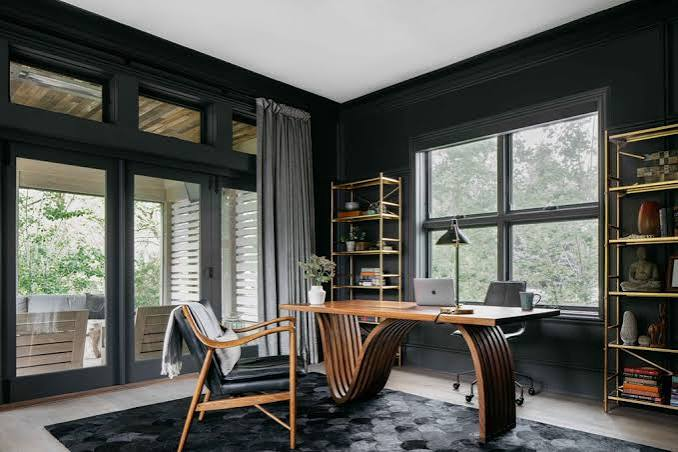
An external monitor can also be useful for people who regularly work with documents, spreadsheets, websites, or multiple applications.
Using a second screen allows you to keep more information visible at the same time. For example, you could keep a video meeting on one screen while working on a document on another.
Choose a monitor setup that fits your desk rather than filling the entire workspace with unnecessary equipment.
7. Add Useful Storage
Good storage helps prevent your desk from becoming overcrowded.
Small shelves, drawers, cabinets, and storage boxes can provide places for documents, stationery, cables, notebooks, and other items.
Use the storage space according to how frequently you use something. Items you use every day should be easy to access, while less frequently used items can be stored farther away.
Wall shelves can be particularly useful in small offices because they use vertical space instead of taking up additional desk area.
8. Choose a Simple Color Scheme
The appearance of your office can affect how comfortable the space feels.
You do not need to completely redesign the room. A simple and consistent color scheme can make the workspace look cleaner.
Neutral colors can create a calm environment, while small decorative elements can add personality. Avoid filling the workspace with too many distracting objects.
The goal is to create a room where you feel comfortable spending time while still being able to concentrate.
9. Add Plants and Decorations
A few decorative items can make a home office feel less like a traditional workplace.
Plants are a popular choice because they can add natural character to the room. You can choose real plants if your space has suitable light or use artificial plants if maintenance is a concern.
You can also add framed artwork, a small clock, photographs, or other decorations that make the workspace feel personal.
Keep decorations balanced. Too many objects can take up valuable workspace and create visual clutter.
10. Build a Better Video Meeting Area
Video calls are now an important part of many home-office routines.
Position your webcam at a comfortable height, ideally close to eye level. Make sure your background is reasonably tidy and does not contain distracting objects.
Good lighting is also important. A light positioned in front of you can help your camera produce a clearer image.
A dedicated microphone or quality headset can improve audio during meetings, especially if your laptop’s built-in microphone is not very clear.
11. Upgrade Your Internet Connection
A productive home office also needs a reliable internet connection.
If your Wi-Fi signal is weak, consider moving your router to a better location or using a mesh Wi-Fi system. For computers that remain in one location, an Ethernet connection can provide a stable alternative to Wi-Fi.
A reliable connection is particularly important for video meetings, cloud applications, file transfers, and other online work.
12. Keep Your Workspace Organized
Even the best home office setup can become cluttered if you do not maintain it.
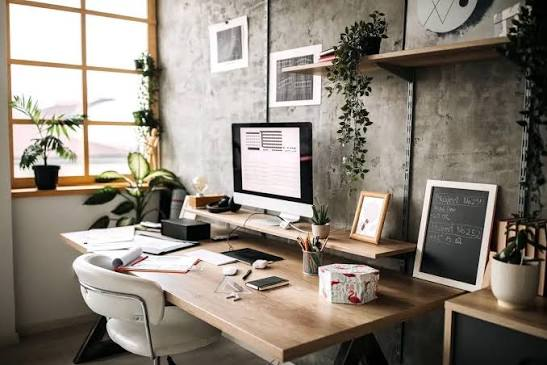
At the end of your workday, spend a few minutes returning items to their proper places. Close unnecessary applications, organize documents, and clear your desk.
A simple daily organization routine can prevent small amounts of clutter from becoming a major problem.
13. Create a Productive Routine
Your physical workspace is only one part of a successful home office.
Try to establish a regular work routine. Start and finish work around consistent times when possible. Take regular breaks and avoid working continuously for long periods.
If your home office is in a shared room, creating a clear beginning and ending to your workday can also help separate work time from personal time.
Also Read:https://store.haworth.com/
Final Thoughts
Creating a good home office does not require a huge budget or a large room. The most important thing is to build a workspace that fits your daily needs.
Start with the essentials: a suitable desk, comfortable chair, reliable computer, good lighting, and a stable internet connection. Then improve the space gradually with better storage, cable management, a monitor, webcam, microphone, plants, and other useful accessories.
A clean and comfortable home office can make daily work more convenient and help you stay organized. Whether you have an entire room or only a small corner available, thoughtful planning can turn almost any area into an effective workspace.