
Intron
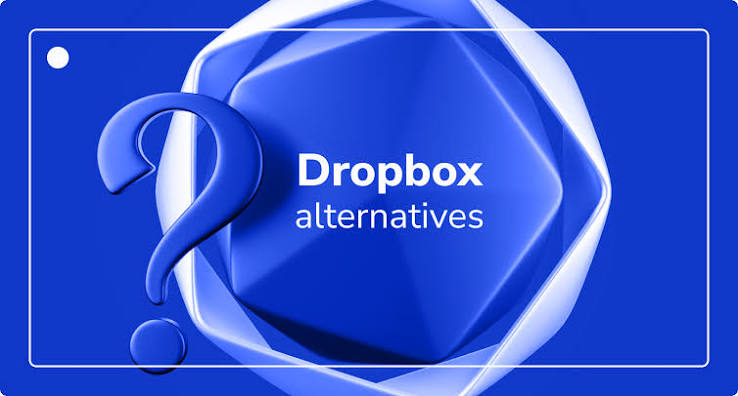
However, Dropbox is not the only option available. Many users look for alternatives because they want more free storage, better pricing, stronger security, or improved collaboration features. Fortunately, there are several excellent cloud storage services that can meet different needs, whether you are a student, professional, business owner, or casual user.
This article explores the best Dropbox alternatives, their features, advantages, and how to choose the right cloud storage service for your needs.
Why Look for a Dropbox Alternative?
Dropbox is a trusted platform, but it may not be the perfect choice for everyone. Some users prefer alternatives for several reasons:
- Limited free storage space
- Higher subscription costs
- Better privacy features
- More collaboration tools
- Integration with other productivity apps
- Larger storage plans
- Improved file-sharing options
The ideal cloud storage service depends on your personal or business requirements.
Features to Consider
Before choosing a Dropbox alternative, consider these important features.
Storage Capacity
Compare how much free and paid storage each service offers. Some providers give generous free plans, while others focus on affordable premium storage.
File Synchronization
Fast and reliable syncing ensures your files stay updated across computers, smartphones, and tablets.
Security
Look for services that provide:
- End-to-end encryption
- Two-factor authentication
- Secure file sharing
- Data backup protection
Security is especially important if you store sensitive information.
Collaboration
If you work with teams, choose a service that supports:
- Real-time collaboration
- Shared folders
- Permission controls
- File version history
Cross-Platform Support
The best services work on Windows, macOS, Linux, Android, iPhone, and through web browsers.
Top Dropbox Alternatives
1. Google Drive
Google Drive is one of the most widely used cloud storage platforms. It integrates seamlessly with Google Docs, Sheets, Slides, and Gmail.
Advantages
- 15 GB of free storage
- Excellent collaboration tools
- Easy file sharing
- Available on all major platforms
- Automatic document saving
Best For
Students, freelancers, and businesses already using Google Workspace.
2. Microsoft OneDrive
OneDrive works perfectly with Microsoft Office applications such as Word, Excel, and PowerPoint.
Advantages
- Strong Windows integration
- Office file collaboration
- Automatic photo backup
- Secure personal vault
- Multiple storage plans
Best For
Windows users and Microsoft 365 subscribers.
3. iCloud Drive
Apple users benefit from seamless synchronization across iPhone, iPad, and Mac devices.
Advantages
- Easy setup
- Automatic device backups
- Smooth Apple ecosystem integration
- Secure file storage
Best For
People who primarily use Apple devices.
4. Box
Box focuses on business users and enterprise collaboration.
Advantages
- Advanced security controls
- Workflow automation
- Team collaboration
- Business integrations
- Strong compliance features
Best For
Businesses and large organizations.
5. Sync.com
Sync.com is known for privacy and security.
Advantages
- End-to-end encryption
- Secure file sharing
- Automatic backup
- Easy folder synchronization
- Competitive pricing
Best For
Users who prioritize privacy.
6. MEGA
MEGA is famous for offering generous free cloud storage.
Advantages
- Large free storage plan
- End-to-end encryption
- Secure messaging
- Fast uploads
- Mobile applications
Best For
Users who need lots of free storage.
7. pCloud
pCloud combines cloud storage with backup features and media streaming.
Advantages
- Lifetime storage plans
- Fast synchronization
- Optional client-side encryption
- Built-in media player
- Easy sharing
Best For
Long-term cloud storage users.
8. Tresorit
Tresorit focuses heavily on security and business protection.
Advantages
- Zero-knowledge encryption
- Secure collaboration
- GDPR compliance
- Business-friendly features
- Strong privacy protections
Best For
Companies handling confidential information.
Dropbox vs Alternatives
When comparing Dropbox with other cloud storage services, consider the following factors:
| Feature | Dropbox | Many Alternatives |
|---|---|---|
| Free Storage | Limited | Often More Generous |
| Security | Strong | Some Offer End-to-End Encryption |
| Collaboration | Excellent | Similar or Better |
| Office Integration | Good | Google Drive and OneDrive Excel |
| Pricing | Moderate | Varies by Provider |
Each service has its own strengths, making the best choice dependent on your specific needs.
Choosing the Right Cloud Storage Service
Ask yourself these questions before making a decision:
- How much storage do you need?
- Will you share files frequently?
- Do you need advanced security?
- Which devices do you use?
- What is your monthly budget?
- Do you work alone or with a team?
Answering these questions will help narrow down the best option.
Tips for Using Cloud Storage Safely
To keep your files secure:
- Enable two-factor authentication.
- Use a strong, unique password.
- Regularly back up important files.
- Avoid sharing sensitive links publicly.
- Review shared folder permissions.
- Keep your apps updated.
- Delete files you no longer need.
These practices reduce the risk of unauthorized access and data loss.
Benefits of Switching
Moving to another cloud storage service can provide several advantages:
- Lower subscription costs
- Increased storage space
- Better privacy controls
- Improved collaboration features
- Faster synchronization
- More flexible sharing options
- Better integration with your favorite apps
Many services also offer migration tools to make transferring files easier.
Also Read:https://cloudcomputinggate.com/
Conclusion
Dropbox remains a reliable and user-friendly cloud storage platform, but it is no longer the only excellent choice. Alternatives such as Google Drive, Microsoft OneDrive, iCloud Drive, Box, Sync.com, MEGA, pCloud, and Tresorit each offer unique advantages for different types of users.
The best Dropbox alternative depends on your priorities. If you want seamless collaboration, Google Drive and OneDrive are strong choices. If privacy is your main concern, Sync.com and Tresorit provide advanced encryption. Users looking for generous free storage may prefer MEGA, while pCloud stands out with its lifetime storage plans.
By comparing storage capacity, security, pricing, compatibility, and collaboration features, you can choose a cloud storage service that fits your needs and keeps your files safe, accessible, and easy to manage.