
The PlayStation 5 is already a powerful gaming console, but the right accessories can make the gaming experience even better. From comfortable headsets and charging stations to extra storage and high-quality controllers, PS5 accessories can improve convenience, performance, and entertainment. Whether you are a casual player or spend hours gaming every week, choosing the right accessories can help you get more from your console.
1. DualSense Wireless Controller
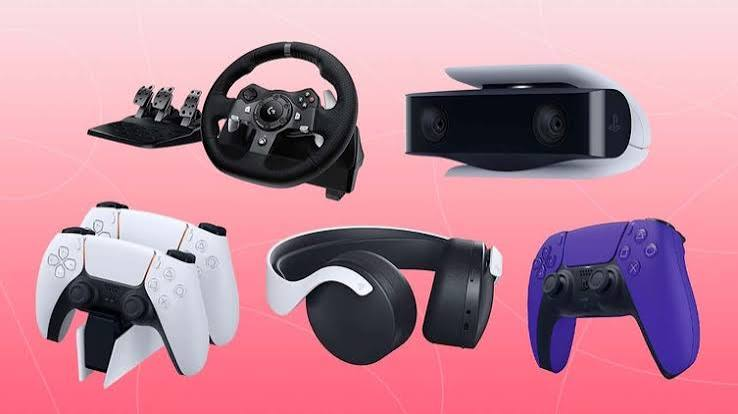
The DualSense Wireless Controller is one of the most important PS5 accessories. The PS5 comes with one controller, but having a second controller is useful for multiplayer games and as a backup.
The DualSense controller features adaptive triggers and haptic feedback, which can make supported games feel more immersive. The built-in microphone and comfortable design also make it practical for everyday gaming. A second controller is particularly useful if you regularly play sports, racing, fighting, or cooperative games with friends or family.
2. PS5 Gaming Headset
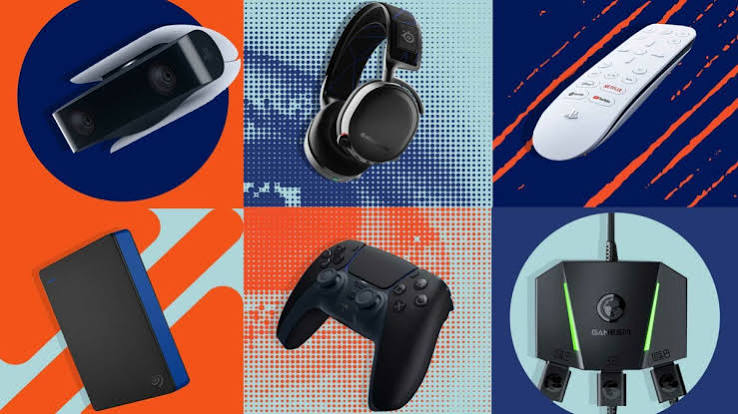
A good gaming headset can significantly improve your gaming experience. Headsets allow you to hear game audio more clearly while also providing a microphone for communicating with other players.
When choosing a PS5 headset, consider sound quality, microphone performance, comfort, battery life, and compatibility. Wireless headsets are convenient because they reduce cable clutter, while wired models can be a simple and reliable option.
A comfortable headset is especially important for gamers who play for long sessions. Look for adjustable headbands, comfortable ear cushions, and a design that does not create too much pressure.
3. PS5 Charging Station
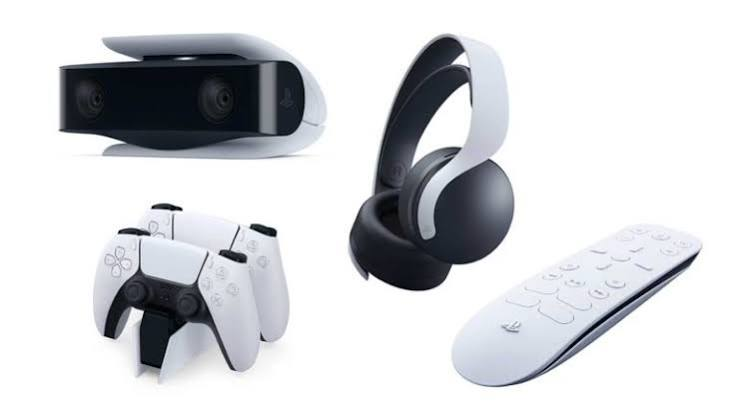
A DualSense charging station is another useful accessory. Instead of connecting your controller to the console with a cable every time the battery gets low, a charging station provides a dedicated place to charge your controllers.
Many charging stations can charge two controllers simultaneously. They also help keep your gaming area organized by giving your controllers a specific place to stay when they are not being used.
For households with multiple controllers, a charging station can be especially convenient.
4. Extra SSD Storage
Modern PS5 games can take up a significant amount of storage space. If you frequently download large games, an additional compatible M.2 SSD can be a valuable upgrade.
Extra storage allows you to keep more games installed without constantly deleting older titles. When selecting an SSD, make sure it meets the PS5’s compatibility requirements for speed, capacity, and physical dimensions.
Before purchasing storage, always check the latest PlayStation specifications to ensure the drive is compatible with your console model.
5. PS5 Media Remote
The PS5 Media Remote is designed for people who use their console for more than gaming. If you watch movies, TV shows, or streaming services through your PS5, a media remote can make navigation easier.
Instead of using the DualSense controller for media controls, you can use dedicated buttons for functions such as volume, playback, and navigating entertainment apps.
It is a relatively simple accessory, but it can make the PS5 more convenient as a home entertainment device.
6. DualSense Edge Controller
For serious gamers, a premium controller can provide additional customization. The DualSense Edge is designed for players who want more control over their gaming setup.
It offers customizable controls and additional features that can be useful in competitive games. Players can adjust controls to suit different game genres and personal preferences.
However, it is more expensive than a standard DualSense controller, so casual players may not need it.
7. PS5 Camera
The PlayStation camera can be useful for players interested in streaming and creating gaming content. A camera can add a video feed to live streams, helping viewers see the person behind the gameplay.
If you plan to stream regularly, camera quality, lighting, positioning, and microphone quality are all important considerations. A camera works best when combined with a clean background and suitable lighting.
8. Console Stand
A suitable PS5 stand can help keep the console stable and organized. Depending on the PS5 model, the appropriate stand can help position the console securely.
A stable setup is important because the console should be placed on a suitable surface with enough ventilation. Avoid blocking the ventilation areas, as proper airflow helps the system operate normally.
9. Gaming Monitor
Although not an accessory exclusive to the PS5, a gaming monitor can be an excellent addition to a gaming setup. A quality monitor can provide sharp visuals, smooth motion, and low input latency.
When choosing a monitor for PS5 gaming, consider resolution, refresh rate, HDMI compatibility, screen size, and response time. A monitor with suitable specifications can be especially useful for competitive games where responsiveness matters.
10. PS5 Controller Grips
Controller grips are small accessories that can improve comfort and handling. They attach to the analog sticks and can provide additional texture and control.
Different grip designs are available, so players can choose according to their preferences. Some gamers prefer higher analog stick extensions for improved precision, while others prefer shorter grips for a more natural feel.
11. HDMI Cable
The HDMI cable is an essential part of any PS5 setup. If you need a replacement or a longer cable, make sure it supports the features you want to use.
A suitable HDMI connection can help the console deliver high-resolution visuals and compatible high-refresh-rate output. When purchasing a replacement cable, choose one that matches the requirements of your display and PS5.
12. Gaming Accessories for Organization
A clean gaming setup can make gaming more enjoyable. Accessories such as controller holders, cable-management solutions, headset stands, and storage organizers can help keep your gaming area tidy.
Cable management is particularly useful when you have several devices connected to the TV or monitor. Keeping cables organized can also make it easier to identify and replace a cable when necessary.
How to Choose the Right PS5 Accessories
You do not need to buy every available accessory. The best approach is to consider how you use your PS5.
If you mainly play multiplayer games, an extra DualSense controller may be your priority. If you play competitive games, a quality headset and suitable monitor may be more valuable. For people who download many games, additional SSD storage can be a practical investment.
If you mainly use the PS5 for streaming and entertainment, a media remote could be more useful than a premium controller.
It is also important to consider your budget. Start with accessories that solve a real problem instead of purchasing products simply because they are popular.
Also Read:https://www.tomsguide.com/
Final Thoughts
PS5 accessories can make a good gaming setup more comfortable, convenient, and enjoyable. From additional DualSense controllers and gaming headsets to charging stations, SSD storage, media remotes, and gaming monitors, there are options for almost every type of player.
The best PS5 accessories depend on your gaming habits, available space, and budget. You do not need an expensive collection of accessories to enjoy your console. Instead, focus on products that genuinely improve the way you play.
With the right combination of accessories, your PS5 setup can become more organized, comfortable, and capable of providing a better gaming experience for years to come.