
Introduction
The good news is that you don’t need to be a cybersecurity expert to stay safe online. By following a few simple best practices, you can significantly reduce your risk of becoming a victim of cybercrime. This guide covers essential cybersecurity tips for individuals, families, students, and businesses to help protect devices, accounts, and personal information.
What Is Cybersecurity?
Cybersecurity is the practice of protecting computers, networks, software, and data from unauthorised access, cyberattacks, and digital threats. It involves using security tools, safe online habits, and regular maintenance to keep information secure.
Cybersecurity is important because it helps protect:
- Personal information
- Financial accounts
- Business data
- Online identities
- Emails
- Social media accounts
- Cloud storage
- Smart devices
Strong cybersecurity practices help reduce the risk of data breaches and financial loss.
Use Strong and Unique Passwords
One of the easiest ways to improve your online security is by creating strong passwords.
A secure password should:
- Be at least 12–16 characters long.
- Include uppercase and lowercase letters.
- Contain numbers and symbols.
- Avoid personal information such as birthdays or names.
Most importantly, never reuse the same password across multiple accounts. If one account is compromised, unique passwords help protect your other accounts.
Enable Two-Factor Authentication (2FA)
Two-factor authentication adds an extra layer of security by requiring a second verification step in addition to your password.
Common 2FA methods include:
- Authentication apps
- SMS verification codes
- Security keys
- Biometric verification
Even if someone discovers your password, they are unlikely to access your account without the second authentication factor.
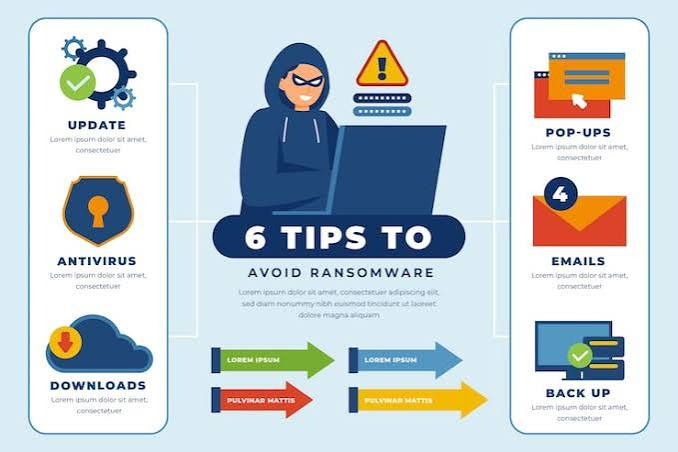
Keep Software Updated
Software updates often include important security patches that fix vulnerabilities discovered by developers.
Regularly update:
- Operating systems
- Web browsers
- Antivirus software
- Mobile apps
- Office software
- Device firmware
Enable automatic updates whenever possible to ensure your devices receive the latest security improvements.
Install Reliable Antivirus Software
Antivirus software helps detect and remove malicious programs before they damage your system.
A good antivirus solution can protect against:
- Viruses
- Trojans
- Spyware
- Ransomware
- Worms
- Malicious downloads
Keep your antivirus software updated so it can recognise the latest threats.
Beware of Phishing Scams
Phishing is one of the most common cyberattacks. Criminals create fake emails, text messages, or websites that appear legitimate to trick users into revealing passwords or financial information.
Signs of phishing include:
- Unexpected requests for personal information
- Poor spelling or grammar
- Suspicious links
- Urgent messages demanding immediate action
- Unknown email addresses
Always verify the sender before clicking links or downloading attachments.
Use Secure Wi-Fi Networks
Public Wi-Fi networks can expose your personal information if they are unsecured.
When using public Wi-Fi:
- Avoid online banking.
- Don’t enter sensitive passwords.
- Use trusted websites with HTTPS.
- Consider using a Virtual Private Network (VPN).
At home, secure your Wi-Fi by changing the default router password and enabling strong encryption such as WPA2 or WPA3.
Back Up Your Data Regularly
Data backups protect you from hardware failures, accidental deletion, and ransomware attacks.
Good backup practices include:
- External hard drives
- Cloud storage
- Automatic scheduled backups
Following the “3-2-1” backup rule—keeping three copies of your data on two different types of storage, with one copy stored off-site—provides extra protection.
Download Software from Trusted Sources
Only install software from official websites or reputable app stores.
Avoid:
- Pirated software
- Cracked applications
- Unknown download sites
Unofficial software may contain hidden malware or spyware that can compromise your device.
Lock Your Devices
Enable screen locks on all devices to prevent unauthorised access.
Available security options include:
- PIN codes
- Passwords
- Fingerprint recognition
- Face recognition
Automatic screen locking after a short period of inactivity adds another layer of protection.
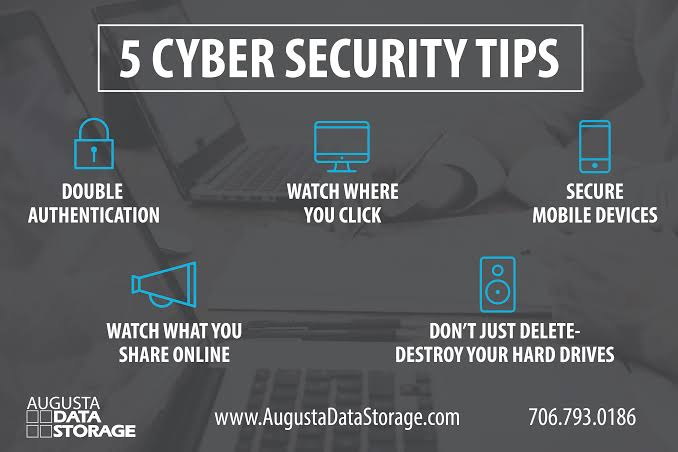
Be Careful on Social Media
Sharing too much personal information online can make you a target for cybercriminals.
Avoid posting:
- Home address
- Phone number
- Financial information
- Travel plans
- Sensitive work information
Review your privacy settings regularly to control who can see your posts and personal details.
Monitor Your Accounts
Regularly review your bank statements, email accounts, and online services for suspicious activity.
Watch for:
- Unknown logins
- Password reset emails you didn’t request
- Unauthorised purchases
- Changes to account settings
Early detection can help minimise damage if an account is compromised.
Use HTTPS Websites
Before entering personal information, check that the website uses HTTPS.
Look for:
- A padlock icon in the address bar
- “https://” at the beginning of the web address
HTTPS encrypts the connection between your browser and the website, helping to protect your data during transmission.
Educate Yourself About Cyber Threats
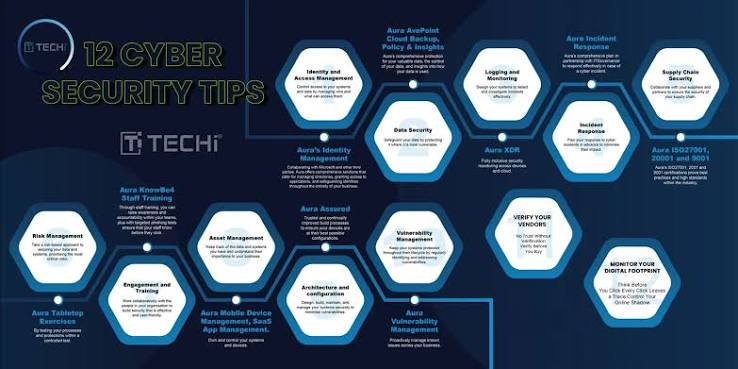
Cyber threats continue to evolve, so staying informed is an important part of online safety.
Learn about:
- Ransomware
- Identity theft
- Social engineering
- Data breaches
- Fake websites
- Online scams
Understanding how attacks work makes it easier to recognise and avoid them.
Common Cybersecurity Mistakes
Many security incidents result from simple mistakes, such as:
- Using weak passwords
- Ignoring software updates
- Clicking suspicious links
- Downloading unknown attachments
- Sharing personal information publicly
- Reusing passwords
- Disabling antivirus protection
Avoiding these habits can significantly improve your online security.
Tips for Businesses
Businesses should take additional cybersecurity measures, including:
- Training employees on cyber awareness
- Implementing strong password policies
- Performing regular data backups
- Using firewalls and endpoint protection
- Restricting access to sensitive information
- Monitoring networks for unusual activity
- Creating an incident response plan
A proactive approach reduces the risk of costly cyber incidents.
Frequently Asked Questions
Why is cybersecurity important?
Cybersecurity helps protect personal information, financial accounts, devices, and businesses from digital threats, reducing the risk of data theft and fraud.
How often should I change my passwords?
Rather than changing passwords on a fixed schedule, use strong, unique passwords for every account and change them immediately if you suspect they have been compromised.
Is free antivirus software enough?
Free antivirus software provides basic protection, but premium versions often include additional features such as ransomware protection, phishing detection, and advanced security monitoring.
Can smartphones get malware?
Yes. Smartphones can be infected with malware, especially if users install apps from untrusted sources or click malicious links.
Also Read:https://www.galloptechgroup.com/
Conclusion
Cybersecurity is no longer optional—it is an essential part of everyday life. As cyber threats become more sophisticated, taking simple precautions such as using strong passwords, enabling two-factor authentication, updating software, and recognising phishing attempts can greatly reduce your risk of becoming a victim of cybercrime.
Whether you are protecting a personal device or managing a business network, consistent cybersecurity practices are the best defence against digital threats. By staying informed, using trusted software, backing up your data, and maintaining good online habits, you can enjoy a safer and more secure online experience for years to come.