
Introduction
Facebook is one of the world’s largest social media platforms, connecting billions of users through posts, messages, photos, videos, and online communities. Whether you use Facebook to stay in touch with friends, manage a business page, or access Marketplace, being unable to log in can be frustrating.
A Facebook login error can occur for many reasons, including incorrect credentials, internet connection issues, browser problems, outdated apps, security checks, or temporary server outages. Fortunately, most login issues can be resolved with a few simple troubleshooting steps.
This guide explains the common causes of Facebook login errors, how to fix them, and practical tips to prevent future login problems.
What Is a Facebook Login Error?
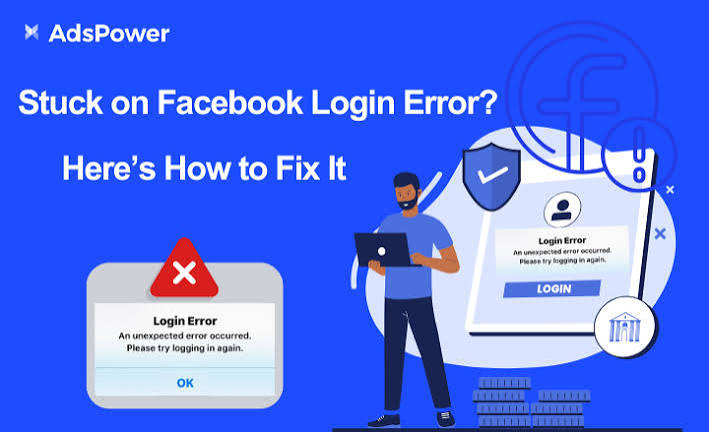
A Facebook login error is any issue that prevents you from accessing your account. Instead of reaching your News Feed, you may see messages such as:
- Incorrect password
- Invalid username or email
- Login failed
- Session expired
- Unexpected error occurred
- Unable to connect
- Authentication failed
These messages indicate that Facebook cannot verify your login or establish a successful connection.
Common Causes of Facebook Login Errors
Several factors can prevent you from logging in to Facebook:
- Incorrect email address or password
- Weak or unstable internet connection
- Outdated Facebook app
- Browser cache or cookies causing conflicts
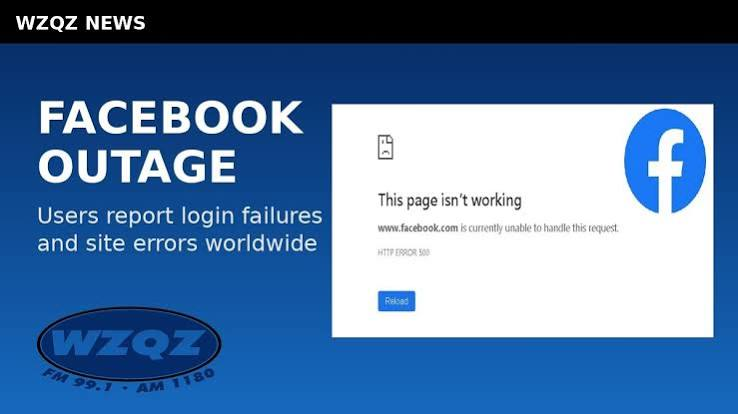
- Facebook server outages
- Suspicious login activity triggering security checks
- Disabled or locked account
- VPN or proxy interference
- Two-factor authentication issues
Identifying the exact cause helps you apply the correct solution.
How to Fix Facebook Login Errors
1. Check Your Login Credentials
The most common reason for login failure is entering incorrect information.
Make sure you:
- Enter the correct email address or phone number.
- Type your password carefully.
- Check that Caps Lock is turned off.
- Try another email address linked to your account if needed.
If you cannot remember your password, use Facebook’s password recovery option.
2. Reset Your Password
If your password is incorrect or forgotten:
- Select Forgot Password?
- Enter your email address or phone number.
- Follow the verification instructions.
- Create a strong new password.
- Log in using your updated credentials.
Choose a password that is unique and difficult to guess.
3. Check Your Internet Connection
A slow or unstable internet connection can interrupt the login process.
Try these steps:
- Restart your Wi-Fi router.
- Switch between Wi-Fi and mobile data.
- Restart your modem.
- Test another website to confirm your internet is working.
A stable connection is essential for successful authentication.
4. Restart Your Device
Temporary software glitches may prevent Facebook from opening correctly.
Restart your:
- Smartphone
- Tablet
- Laptop
- Desktop computer
Then try logging in again.
5. Update the Facebook App
Using an outdated version of Facebook can lead to login and compatibility issues.
Visit your device’s app store and install the latest version of the Facebook app. Updates often include bug fixes and security improvements.
6. Clear Browser Cache and Cookies
If you’re using Facebook in a web browser, stored cache and cookies may cause login errors.
Clear:
- Browser cache
- Cookies
- Temporary files
After clearing them, restart your browser and try logging in again.
7. Disable VPN or Proxy Services
Facebook may block or challenge logins made through certain VPNs or proxy servers.
If you’re using one:
- Disconnect the VPN.
- Disable proxy settings.
- Refresh the login page.
- Try signing in again.
8. Verify Your Identity
Facebook sometimes requests identity verification after detecting unusual activity.
You may need to:
- Enter a verification code sent to your email or phone.
- Confirm recent login activity.
- Answer security questions.
- Upload identification if requested.
Complete the verification process to regain account access.
9. Check Facebook Server Status
Sometimes the problem is not on your device. Facebook’s servers may be experiencing temporary outages.
If many users are reporting similar issues, wait until the service is restored and then try again.
Device-Specific Solutions
Android
- Clear the Facebook app cache.
- Restart the device.
- Update Android.
- Reinstall the Facebook app if necessary.
iPhone and iPad
- Update iOS.
- Delete and reinstall Facebook.
- Restart the device.
- Check internet settings.
Windows PC
- Clear browser data.
- Update your browser.
- Restart the computer.
- Disable browser extensions that may interfere with login.
Mac
- Update Safari or your preferred browser.
- Clear browsing data.
- Restart your Mac.
- Try a different browser if the issue continues.
Security Tips for Your Facebook Account
To protect your account and reduce login problems:
- Enable two-factor authentication.
- Use a strong, unique password.
- Avoid logging in on public computers.
- Never share your password.
- Review your recent login activity regularly.
- Keep your recovery email and phone number up to date.
- Log out of devices you no longer use.
Good security practices help keep your account safe and accessible.
Common Mistakes to Avoid
Many login problems are caused by simple mistakes, such as:
- Typing the wrong password.
- Using an outdated app.
- Ignoring app or browser updates.
- Connecting through an unstable network.
- Forgetting to verify your identity when prompted.
- Using unsupported browser extensions or VPNs.
Avoiding these issues can save time and frustration.
Frequently Asked Questions
Why can’t I log in to Facebook even with the correct password?
Your account may require identity verification, be temporarily locked, or there may be a network or server issue.
What should I do if I forgot my Facebook password?
Use the Forgot Password? option on the login page to reset it using your registered email address or phone number.
Does clearing cache delete my Facebook account?
No. Clearing your browser cache or app cache only removes temporary files. Your account and data remain safe.
Can a VPN cause Facebook login problems?
Yes. Some VPN or proxy connections may trigger security checks or interfere with the login process.
Why is Facebook asking me to verify my identity?
Facebook may request verification if it detects an unusual login attempt, a new device, or suspicious account activity.
Also Read:https://www.digitalinformationworld.com/
Conclusion
A Facebook login error can be frustrating, but in most cases it is easy to resolve. By checking your login credentials, resetting your password if necessary, ensuring a stable internet connection, updating the Facebook app, clearing browser cache, and completing any required security verification, you can quickly regain access to your account. Regularly updating your device, using strong security practices, and keeping your recovery information current can also help prevent future login issues. With the troubleshooting steps outlined in this guide, you can confidently resolve most Facebook login errors and continue using the platform without interruption.