
Spam messages, unwanted phone calls, promotional emails, and suspicious notifications have become a common part of everyday digital life. They can be annoying, waste your time, and sometimes contain links designed to trick people into sharing personal information. Fortunately, there are several simple ways to block spam and reduce the number of unwanted messages you receive.
Whether you are dealing with spam calls on your phone, junk emails, text messages, or unwanted notifications, this guide explains practical ways to block spam and keep your digital accounts safer.
What Is Spam?
Spam is unwanted communication sent to a large number of people. It can appear in different forms, including emails, text messages, phone calls, social media messages, and website notifications.
Some spam is simply advertising, while other messages may attempt to trick you into clicking a link, providing personal information, or downloading something unsafe. This is why it is important to recognize and block suspicious communication.
How to Block Spam Calls
One of the easiest ways to reduce spam is to block unwanted phone numbers.
On most smartphones, you can open your recent calls, select the unwanted number, and choose an option such as Block, Block Caller, or Report Spam. Once blocked, calls from that number should no longer reach you normally.

If spam callers frequently use different numbers, your phone may also provide a spam protection or caller identification feature. Turn this feature on if it is available.
You should avoid calling suspicious numbers back because doing so can sometimes confirm that your number is active.
How to Block Spam Text Messages
Spam texts can include advertisements, fake offers, suspicious links, or messages pretending to come from companies.
To block a spam text, open the message and look for options such as Block Number, Report Spam, or Report Junk. The exact wording depends on your phone and messaging application.
If a message contains a suspicious link, do not open it. Instead, delete the message after reporting it.
You should also avoid replying to spam messages. Even a simple response can tell the sender that your number is being actively used.
How to Block Spam Emails
Email spam can quickly fill your inbox. Most popular email services provide built-in tools for dealing with unwanted messages.
When you receive spam, select the message and choose Report Spam or Report Junk. Your email service can then learn from your report and may automatically move similar messages into the spam folder.
You can also create filters to automatically send messages from specific senders or containing certain words to the spam or trash folder.
However, be careful when creating filters. Blocking common words may accidentally hide legitimate emails.
How to Stop Spam on Gmail
If you use Gmail, you can report unwanted messages as spam directly from your inbox.
Open the suspicious email and select the spam reporting option. Gmail will move the message to the Spam folder and use the report to improve its filtering.
If the same sender continues contacting you, you can also block the sender. Future messages from that address may then be sent away from your main inbox.
Never click links in suspicious emails simply because the message appears to come from a company you recognize. If you need to check an account, open the company’s official website yourself rather than using an unfamiliar link in the email.
How to Block Spam on Social Media
Spam can also appear through social media comments, direct messages, and fake accounts.
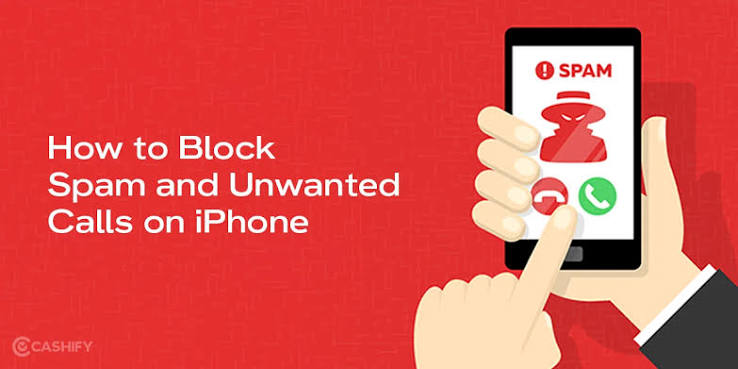
Most social media platforms allow users to block, mute, or report unwanted accounts. If an account repeatedly sends suspicious messages, blocking and reporting it is usually better than responding.
You should also review your privacy settings. Limiting who can send you messages, tag you, or comment on your posts can reduce unwanted communication.
Use Your Phone’s Spam Protection
Many modern smartphones include built-in spam detection features. These tools can identify calls that are frequently reported as spam or suspicious.
Check your phone’s call settings and look for options related to:
- Spam protection
- Caller ID
- Block unknown callers
- Scam detection
- Report spam
- Call screening
Turning on these features can significantly reduce unwanted calls.
Be Careful With Your Phone Number and Email Address
One of the best ways to reduce spam is to avoid sharing your contact information unnecessarily.
Think carefully before entering your phone number or email address on unfamiliar websites. Some websites may share contact information with marketing services or other organizations.
For online accounts, use strong passwords and enable two-factor authentication whenever possible. These steps do not directly block spam, but they can improve the security of your accounts.
Do Not Click Suspicious Links
Spam and phishing messages often contain links that create a sense of urgency. For example, a message might claim that your account will be closed or that you have won a prize.
Do not click the link just because the message looks official.
Instead, independently visit the company’s official website or contact the organization using a trusted phone number. This helps you avoid fake websites and fraudulent messages.
How to Reduce Promotional Messages
Sometimes unwanted messages come from legitimate businesses rather than scammers. In this situation, look for an Unsubscribe option.
Legitimate marketing emails commonly include an unsubscribe link at the bottom. Using it can stop future promotional emails.
However, if the message looks suspicious or the sender is unknown, avoid clicking links inside it. Simply report the message as spam and delete it.
Keep Your Apps Updated
Keeping your phone, email application, browser, and operating system updated can improve security and spam protection.
Software updates may include improvements to security systems, spam detection, and protection against newly discovered threats.
Enable automatic updates when practical so your device receives important security improvements without requiring you to remember every update manually.
What to Do If Spam Keeps Coming
If spam continues after blocking individual numbers or email addresses, take additional steps.
First, report unwanted messages instead of simply deleting them. Reporting helps your email provider, phone service, or social platform identify similar spam.
Next, review your privacy settings and remove your contact information from websites where it is publicly visible.
You can also consider using a separate email address for newsletters, shopping websites, and online registrations. Keeping your main email address private may reduce the amount of unwanted mail reaching your primary inbox.
Also Read:https://www.kaspersky.com/
Final Thoughts
Learning how to block spam can make your phone, email inbox, and social media accounts much easier to manage. Start by blocking unwanted numbers, reporting spam messages, using email filters, and enabling your device’s built-in spam protection.
Most importantly, do not respond to suspicious messages or click unfamiliar links. Be careful about where you share your phone number and email address, and keep your devices and applications updated.
Spam may never disappear completely, but with the right settings and habits, you can greatly reduce unwanted calls and messages while keeping your digital accounts more secure.