
Introduction
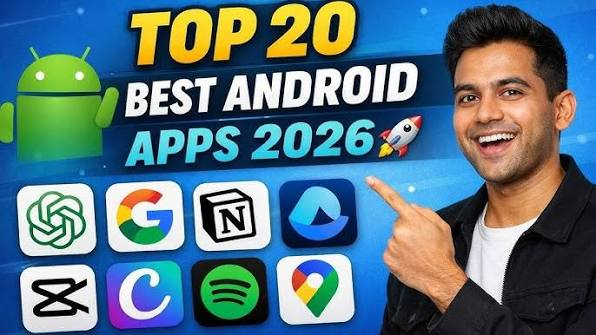
Android smartphones have become an essential part of daily life, helping users stay connected, productive, entertained, and organised. One of the biggest advantages of Android is its massive app ecosystem. With millions of apps available on the Google Play Store, finding the best ones can be overwhelming. Whether you want to improve productivity, edit photos, stream music, manage your finances, or protect your privacy, there is an Android app for nearly every need.
This guide highlights some of the best Android apps in 2026 across different categories. These apps are known for their reliability, useful features, and positive user experiences.
Why Choosing the Right Apps Matters
Installing high-quality apps can significantly improve your smartphone experience. The best Android apps offer:
- Better productivity
- Strong security and privacy
- Easy communication
- Entertainment on demand
- Cloud storage and file sharing
- Health and fitness tracking
- Financial management
- Creative editing tools
Choosing trusted apps also reduces the risk of malware and protects your personal data.
Best Productivity Apps
1. Google Keep
Google Keep is a simple yet powerful note-taking app that helps you create notes, checklists, reminders, and voice memos. Everything syncs automatically across your devices using your Google account.
Key Features:
- Colour-coded notes
- Voice recording
- Image notes
- Reminders
- Cross-device synchronisation
2. Microsoft Office
Microsoft Office combines Word, Excel, and PowerPoint into one convenient app. It is perfect for students, professionals, and business users.
Benefits:
- Create and edit documents
- Scan PDFs
- Cloud storage integration
- Easy file sharing
3. Google Drive
Google Drive provides secure cloud storage for documents, photos, and videos.
Features include:
- File backup
- Document sharing
- Offline access
- Google Docs integration
- Automatic synchronisation
Best Communication Apps
WhatsApp remains one of the world’s most popular messaging platforms.
Features include:
- Free messaging
- Voice calls
- Video calls
- Group chats
- End-to-end encryption
- File sharing
Telegram
Telegram offers fast messaging with additional privacy and customisation features.
Highlights include:
- Large group chats
- Cloud-based messaging
- Secret chats
- File transfers
- Custom stickers
Zoom
Zoom is an excellent choice for online meetings, classes, webinars, and remote work.
Key features:
- HD video meetings
- Screen sharing
- Virtual backgrounds
- Meeting recording
- Chat support
Best Entertainment Apps
Spotify
Spotify gives users access to millions of songs, podcasts, and playlists.
Benefits include:
- Personalised recommendations
- Offline downloads
- Podcast streaming
- High-quality audio
YouTube
YouTube remains one of the best apps for watching videos, tutorials, reviews, educational content, and live streams.
Popular features:
- Shorts
- Live streaming
- Offline downloads (Premium)
- Video subscriptions
Netflix
Netflix offers a huge collection of movies, TV shows, documentaries, and original content.
Features include:
- HD streaming
- Multiple profiles
- Offline viewing
- Personalised recommendations
Best Photo Editing Apps
Snapseed
Developed by Google, Snapseed is a professional photo editing app available for free.
Editing tools include:
- HDR effects
- Selective editing
- Healing tool
- Curves
- Filters
Adobe Lightroom
Adobe Lightroom is ideal for photographers and content creators.
Features include:
- Professional colour correction
- RAW editing
- Cloud synchronisation
- AI editing tools
Canva
Canva makes graphic design simple for beginners and professionals.
Create:
- Social media posts
- Logos
- Posters
- Presentations
- Business cards
Best Security Apps
Bitdefender Mobile Security
Bitdefender provides excellent Android protection against malware and phishing attacks.
Features:
- Virus scanning
- Web protection
- Anti-theft tools
- Privacy monitoring
Google Authenticator
Google Authenticator strengthens account security using two-factor authentication (2FA).
Benefits:
- Offline code generation
- Fast setup
- Improved account protection
Best File Management Apps
Files by Google
Files by Google helps users organise storage while cleaning unnecessary files.
Features include:
- Junk file removal
- Duplicate file detection
- Secure file sharing
- Offline transfers
Solid Explorer
Solid Explorer is a premium file manager offering advanced storage management.
It supports:
- Cloud storage
- FTP
- ZIP archives
- Password protection
Best Health and Fitness Apps
Google Fit
Google Fit tracks your daily activity and encourages healthy habits.
Features include:
- Step counting
- Heart Points
- Activity tracking
- Goal setting
MyFitnessPal
MyFitnessPal is one of the best calorie-counting and nutrition apps.
It includes:
- Food database
- Barcode scanner
- Exercise logging
- Weight tracking
Best Navigation Apps
Google Maps
Google Maps remains the leading navigation app for Android users.
Features include:
- Turn-by-turn directions
- Live traffic updates
- Offline maps
- Business information
- Public transport routes
Waze
Waze focuses on community-driven navigation.
Drivers receive updates about:
- Traffic jams
- Speed cameras
- Road closures
- Accidents
- Fuel prices
Best Finance Apps
PayPal
PayPal allows secure online payments and money transfers across many countries.
Features:
- Send and receive money
- Online shopping
- Purchase protection
- International payments
Mint
Mint helps users manage personal finances with budgeting and expense tracking tools.
Key features:
- Budget planning
- Bill reminders
- Spending reports
- Financial insights
Best Learning Apps
Duolingo
Duolingo makes language learning fun through interactive lessons.
Users can learn:
- English
- Spanish
- French
- German
- Japanese
- Many other languages
Khan Academy
Khan Academy provides free educational courses for students of all ages.

Subjects include:
- Mathematics
- Science
- Economics
- History
- Computer programming
Tips for Choosing Android Apps
Before downloading any app, consider the following:
- Download only from the Google Play Store or trusted sources.
- Read user reviews and ratings.
- Check app permissions before installing.
- Keep apps updated for the latest features and security improvements.
- Remove apps you no longer use to free up storage.
- Avoid installing unnecessary apps from unknown developers.
These practices help keep your device secure and running smoothly.
How to Keep Your Android Phone Secure
Installing good apps is only part of staying safe. You should also:
- Enable Google Play Protect.
- Use strong passwords.
- Turn on two-factor authentication.
- Regularly update Android.
- Avoid suspicious links and downloads.
- Back up important data to the cloud.
These simple steps can reduce the risk of malware, scams, and data loss.
Also Read:https://www.octaldigital.com/
Conclusion
The best Android apps can transform your smartphone into a powerful tool for work, study, entertainment, creativity, and personal organisation. Apps such as Google Keep, Microsoft Office, Google Drive, WhatsApp, Spotify, YouTube, Snapseed, Canva, Google Maps, and Google Fit offer reliable features that suit a wide range of users. By choosing trusted applications, keeping them updated, and following good security practices, you can enjoy a safer and more productive Android experience. Whether you are a student, professional, traveller, or casual user, these Android apps provide excellent value and help you make the most of your device.